One morning in a builder's office.
A working day on the software, step by step, on the real screens. The project is the product's sample data.
- Project
- Sample project
- Towers · flats
- 2 · 40
- Steps
- 8
- People
- Sales, manager, accounts, owner
- Sales
A family asks for a 2BHK.
The salesperson filters the chart to 2BHK and blocks 5A while the family decides. Nobody else can promise that flat now.
Blocking 5ARecorded in the product · sample data - Sales
The family says yes.
The booking opens from the blocked flat: the buyer, their PAN and address, the payment plan and the agreed price. The buyer's record is made from here.
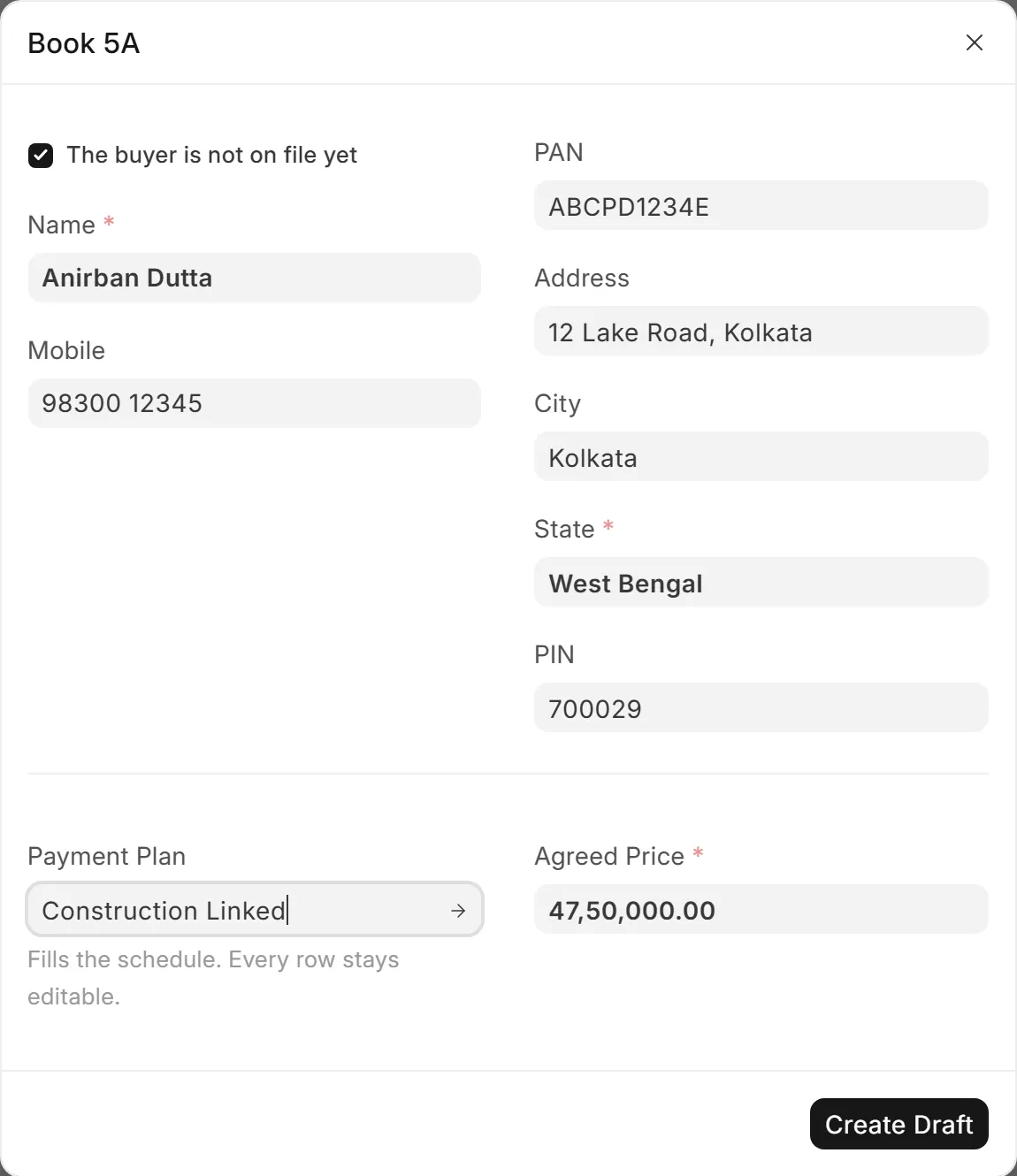
Booking 5AProduct screen · sample data - Sales
The schedule is already worked out.
The construction-linked plan fills seven rows, from booking to possession. One date is moved by hand, and the rows still add up to the agreed price. The allotment letter prints on the letterhead.
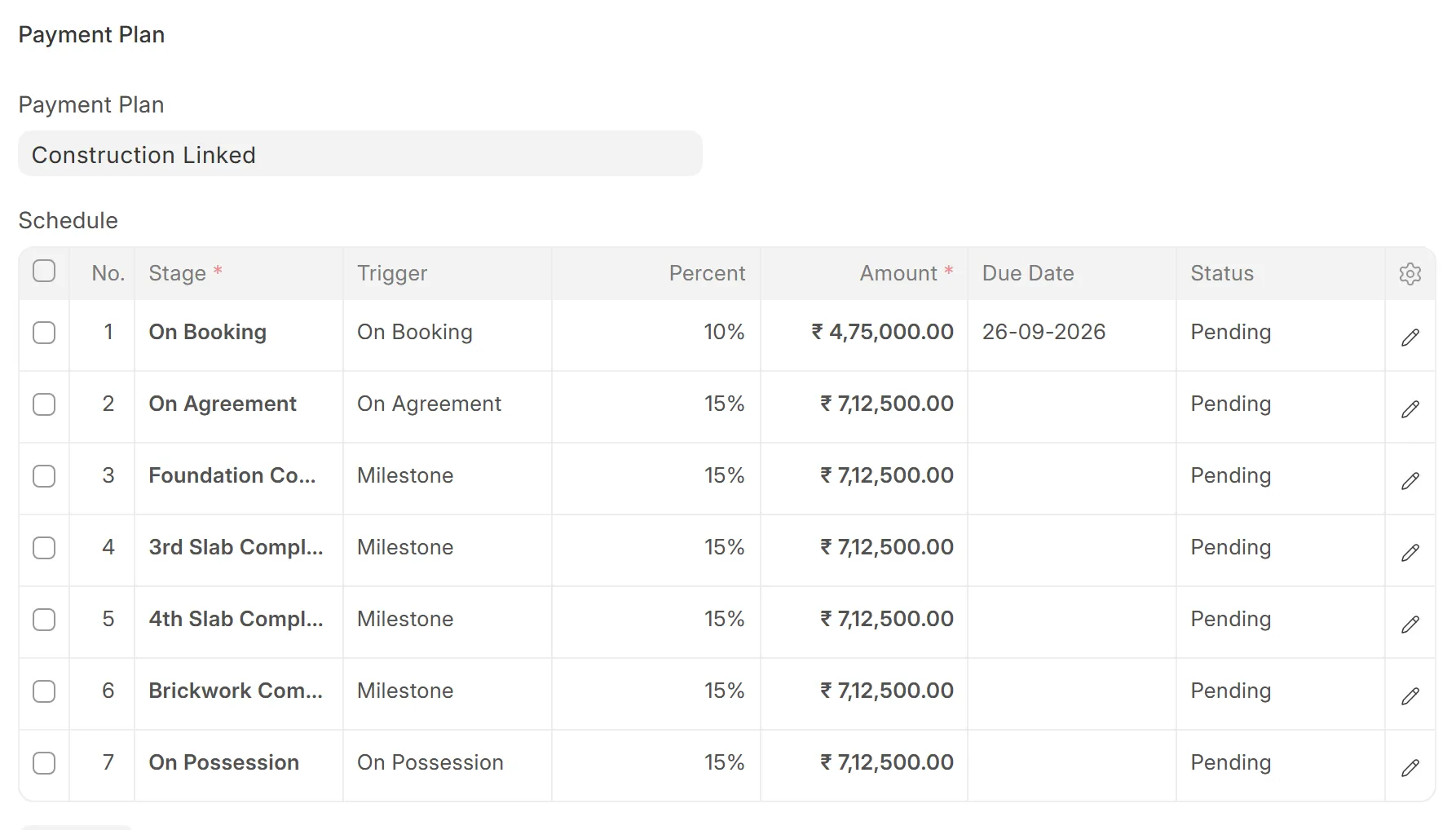
The scheduleProduct screen · sample data - Site
On site, the 4th slab is done.
The site engineer confirms the pour. In the office, the manager marks the milestone complete.

- Manager
Sixteen demands, one in dispute.
Prepare Demands lists every buyer whose 4th slab instalment is now due. One buyer disputes the work, so the manager unticks them. Fifteen drafts are made.
Prepare DemandsRecorded in the product · sample data 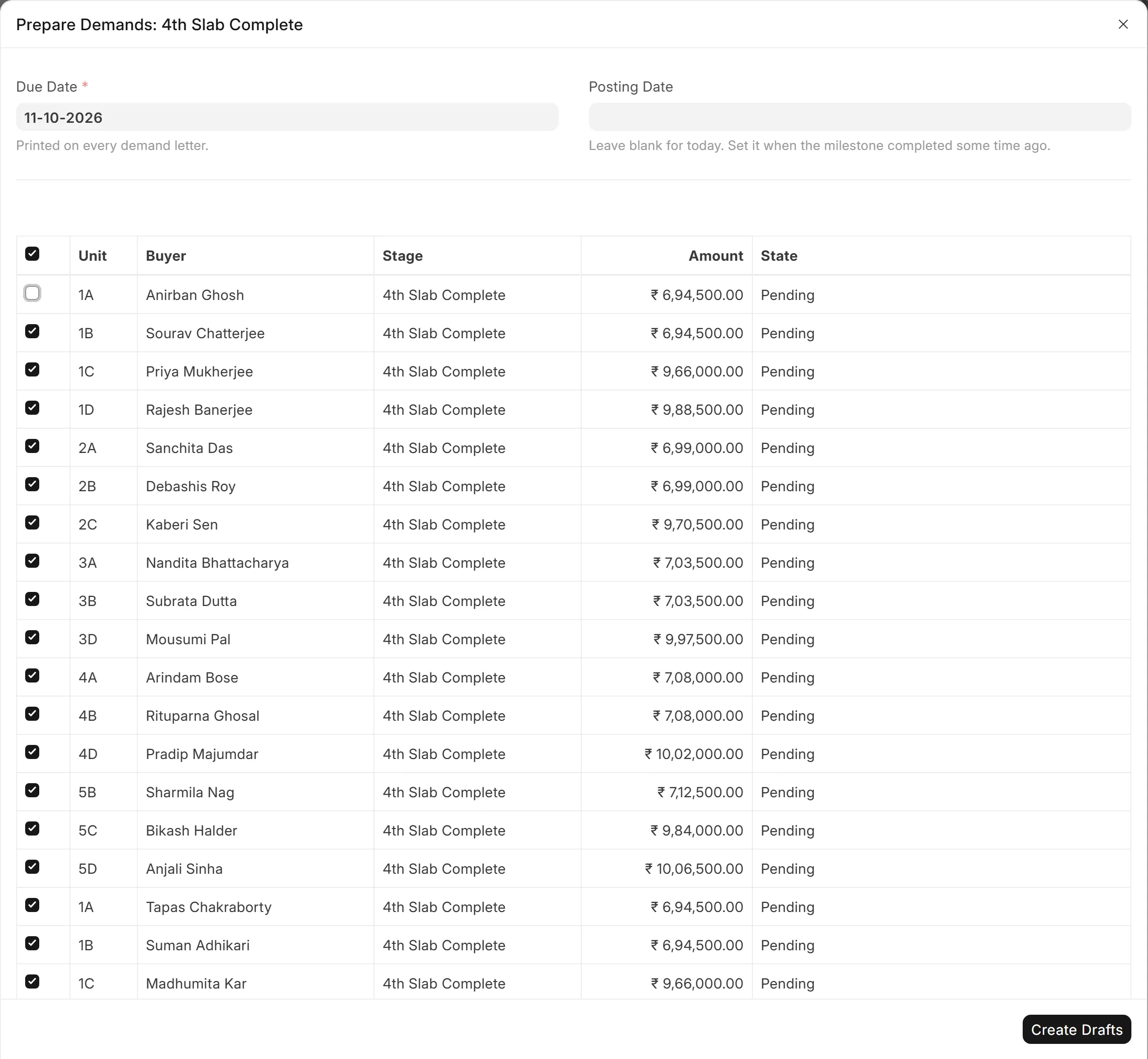
One buyer untickedProduct screen · sample data - Accounts
Each letter is checked, then printed.
The accountant opens each draft, checks it and submits it. The demand letter prints on the letterhead with the stage and the amount due.
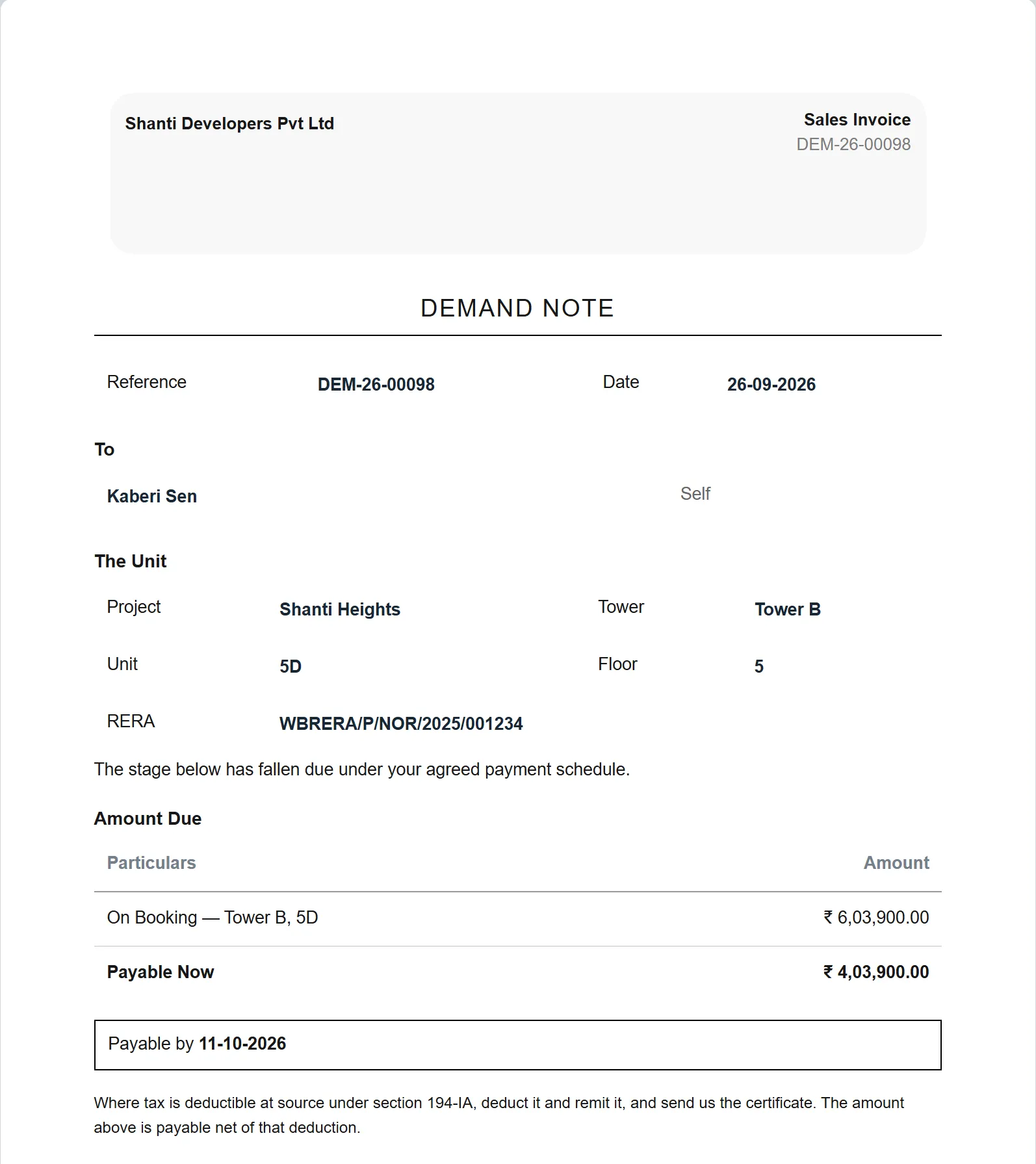
The demand letterProduct screen · sample data - Accounts
The money comes in two parts.
The bank's disbursement and the buyer's own payment are recorded against the demand. The buyer deducted TDS, so the receipt carries it.
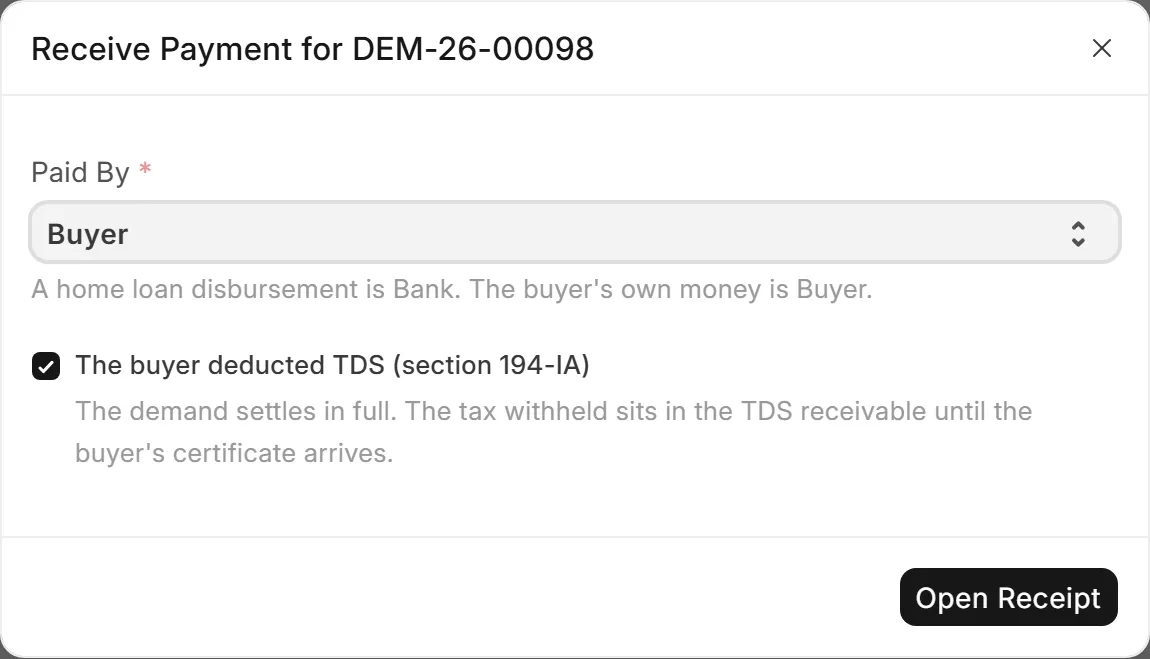
The buyer's part, with TDSProduct screen · sample data 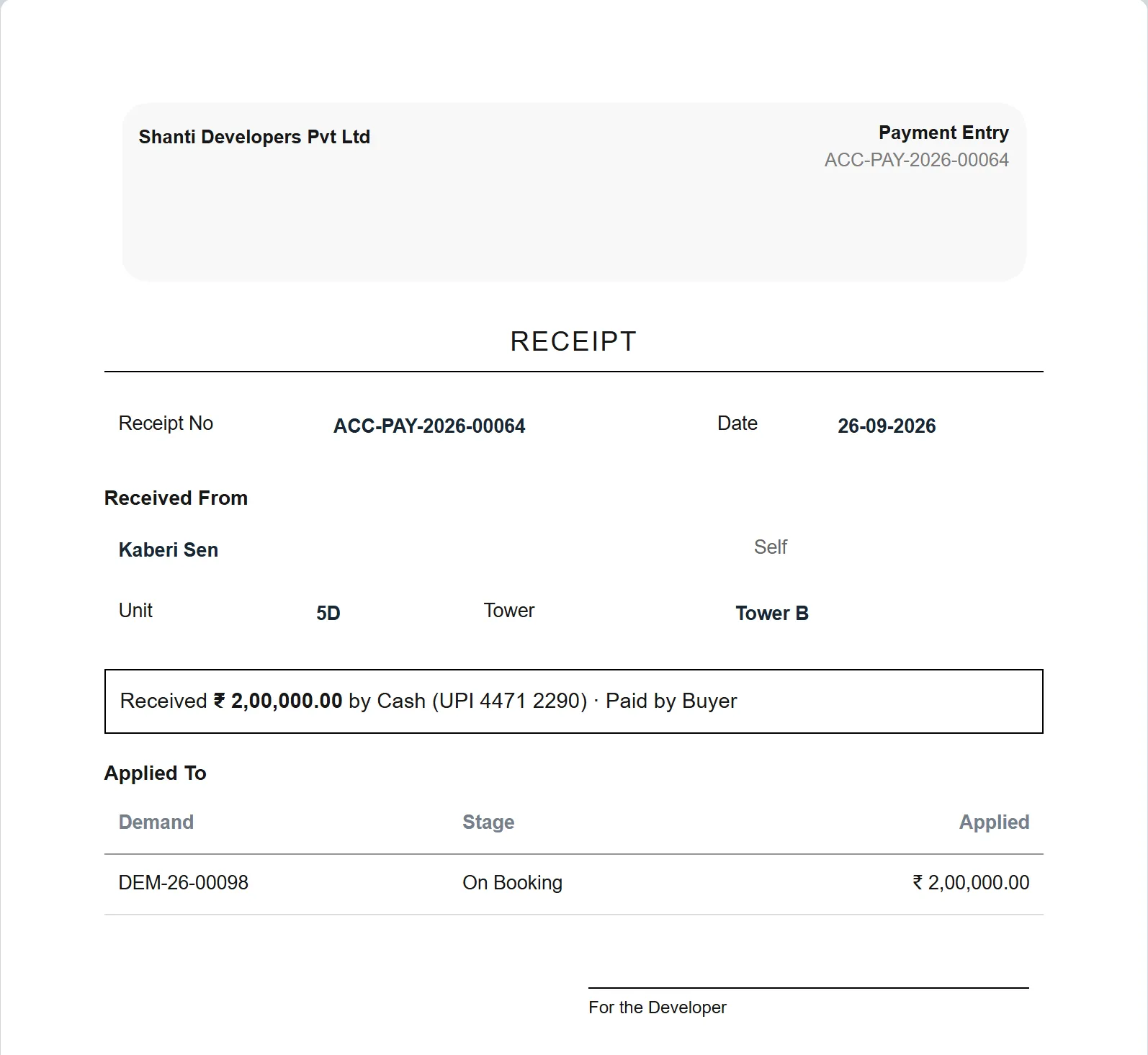
The receiptProduct screen · sample data - Owner
The owner checks the phone.
On the way home: flats unsold, the bookings this month, and who owes what.
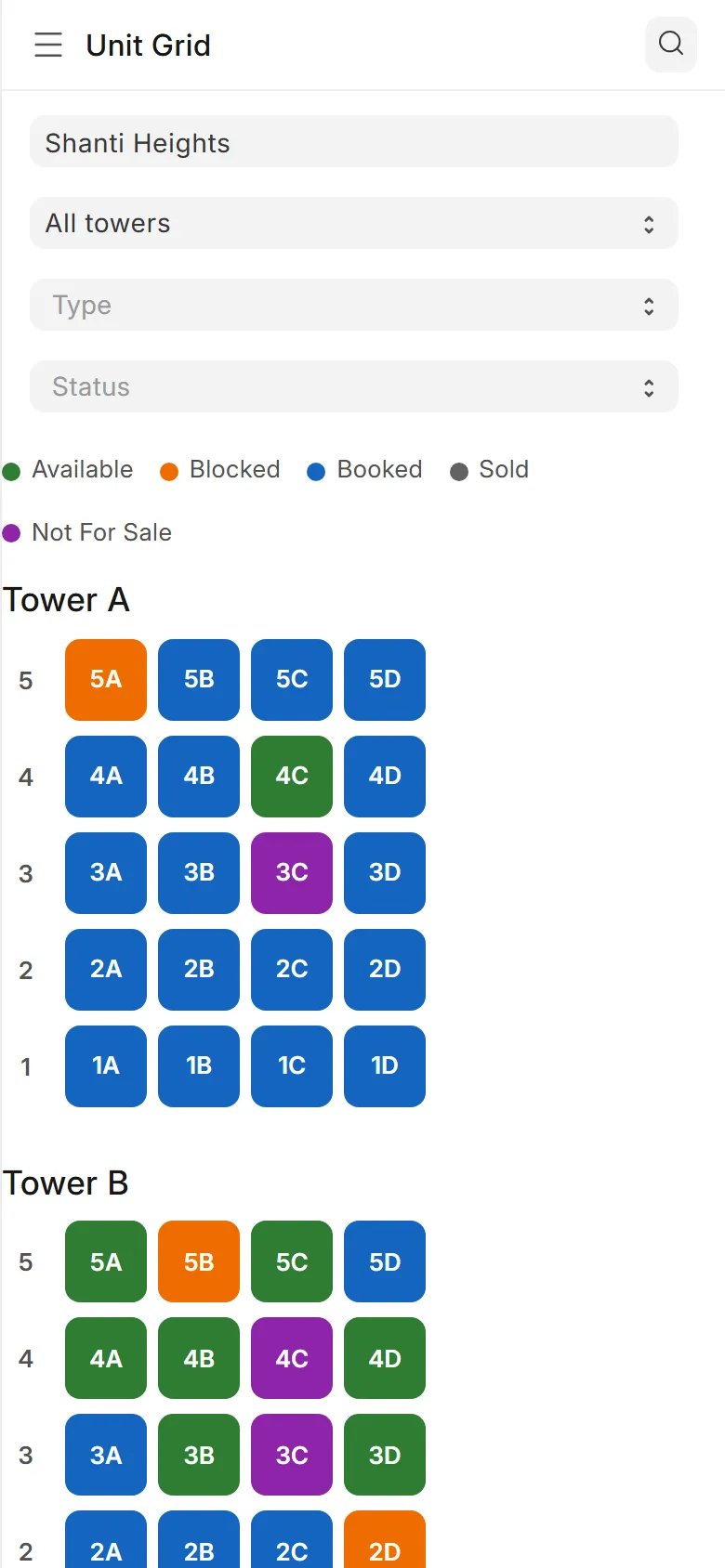
The chart 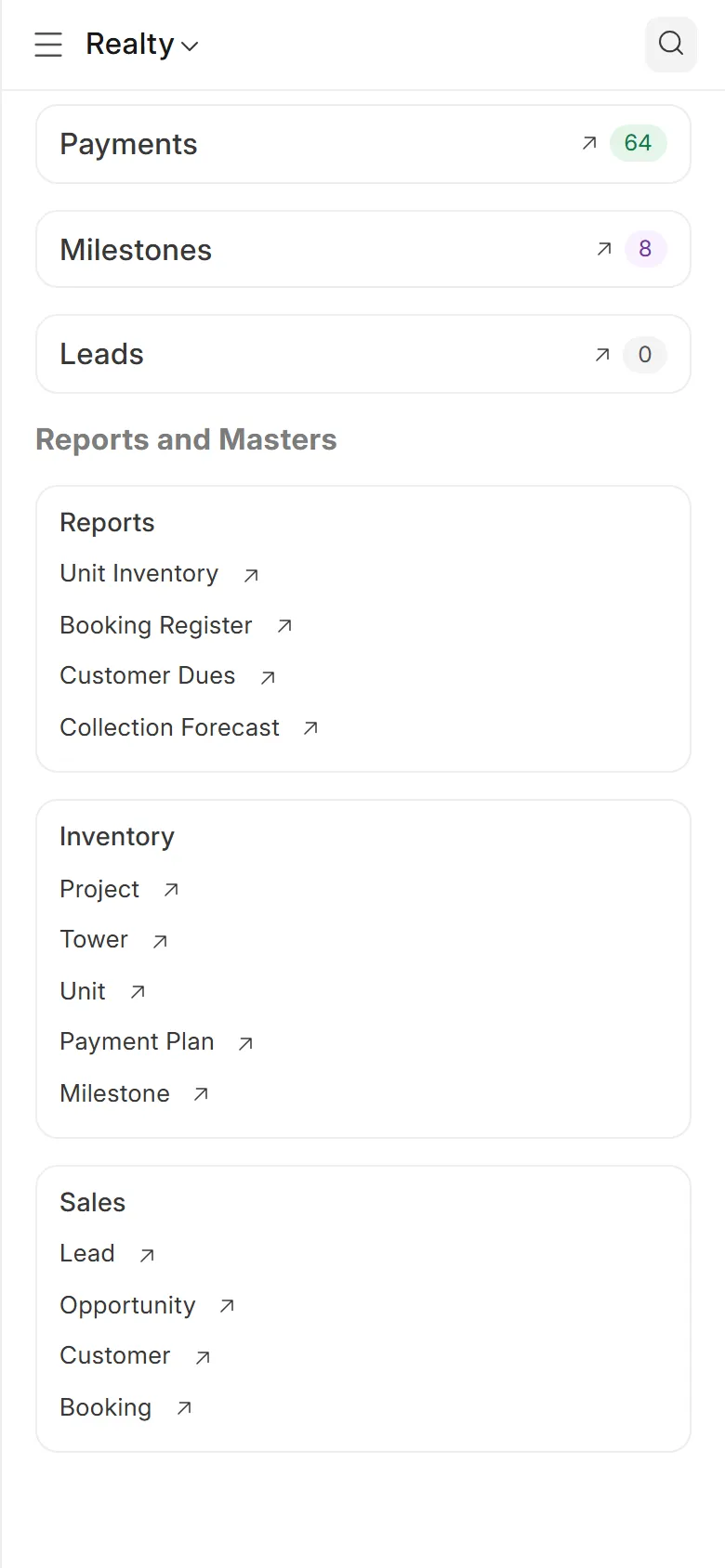
Payments and dues
Walk through it with us.
We run this morning live on the sample project, and answer your accountant's questions on the way.
You pick a time
Three short steps: a time, your office, your number.
We call to confirm
One call to fix the time and hear how you work today.
You see the software
The chart, a booking, a stage's demands and the books, on sample data.
[WhatsApp number]
[Phone number]
[Email address]