Available. See what is unsold, floor by floor.
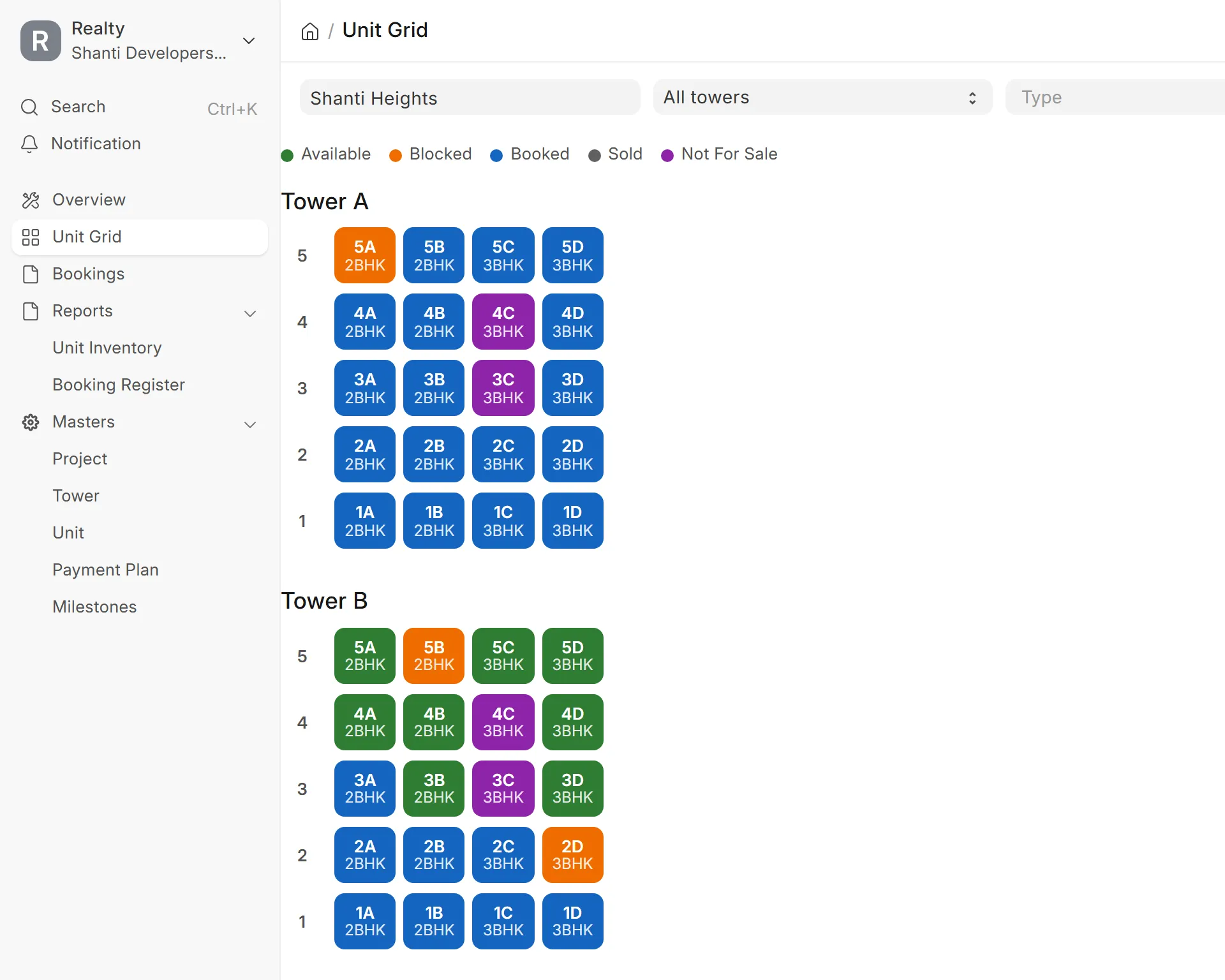
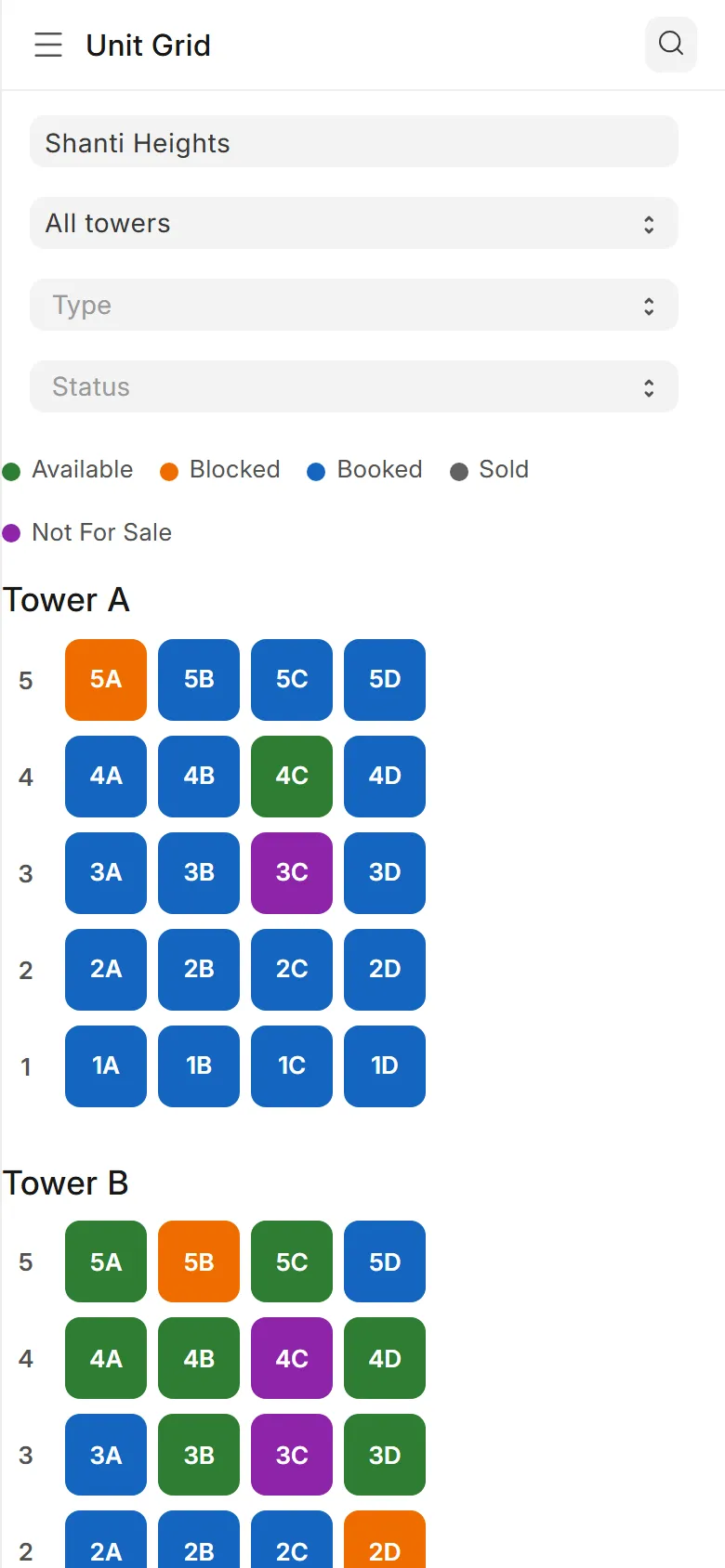
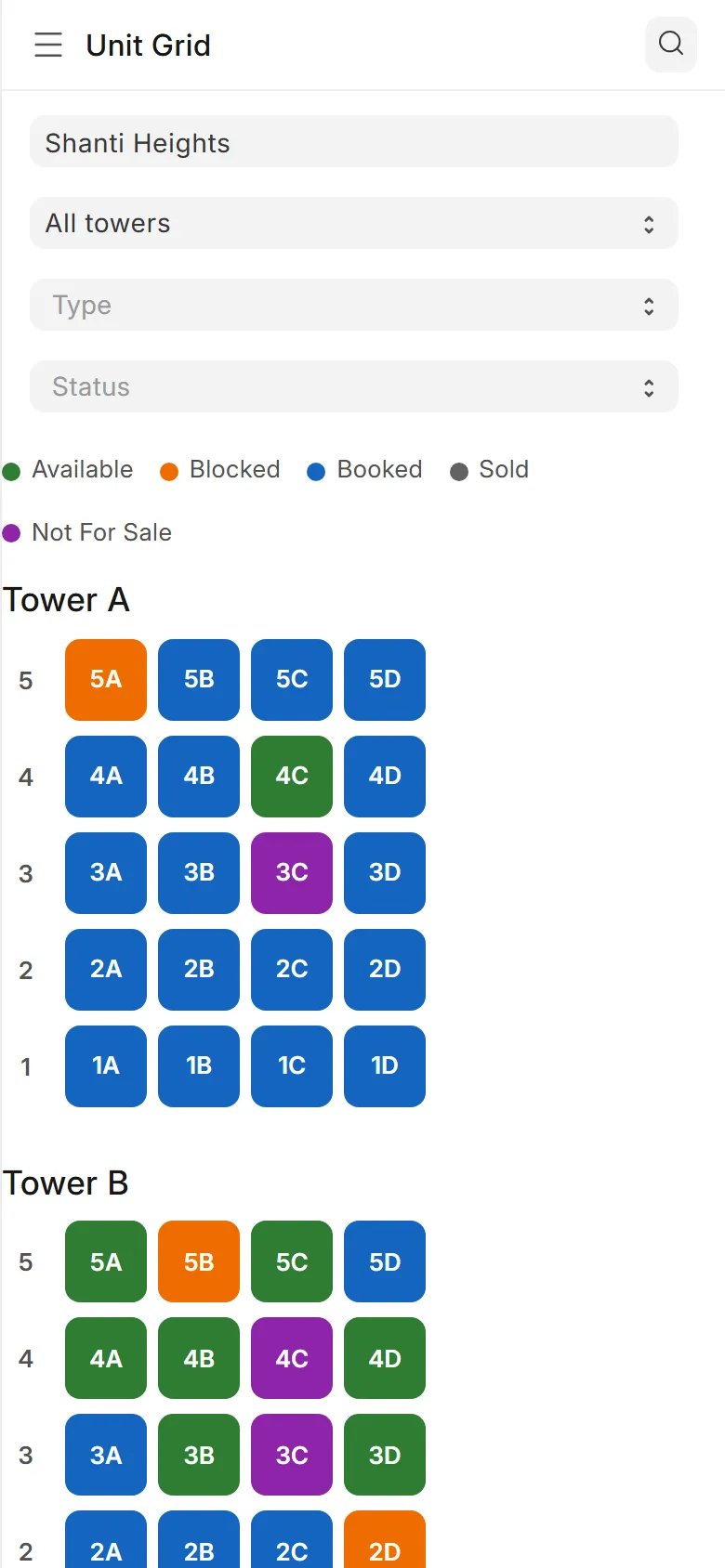
The unit grid shows every flat of every tower in its status colour. Filter to 2BHK, tap a flat, and block or book it from the same screen. It reads the same on a phone.
Wingflows Realty is software for Indian builders. Your sales team blocks and books flats from a live chart. A finished slab turns into demand letters for every buyer on it. Your accountant keeps the books, GST included, in the same system.
Unit Grid
Tower A
Tower B
5C — Available
Unsold. Block it while the buyer decides.
Try it. This is the product's unit grid on a sample project. Tap a flat, filter by type, block one.
Each person in the office gets a role with its own screens. They all work on the same bookings and the same books.

Blocks and books flats from the chart, with the schedule worked out on the spot.

Checks and submits the demands, records receipts, and keeps the ledger with GST.

Approves a price below the floor and prepares demands when a stage is done.

Sees stock, bookings and dues on the phone, and signs off on the exceptions.
Follow one flat through the software. Every screen below is the product, on sample data.
The unit grid shows every flat of every tower in its status colour. Filter to 2BHK, tap a flat, and block or book it from the same screen. It reads the same on a phone.
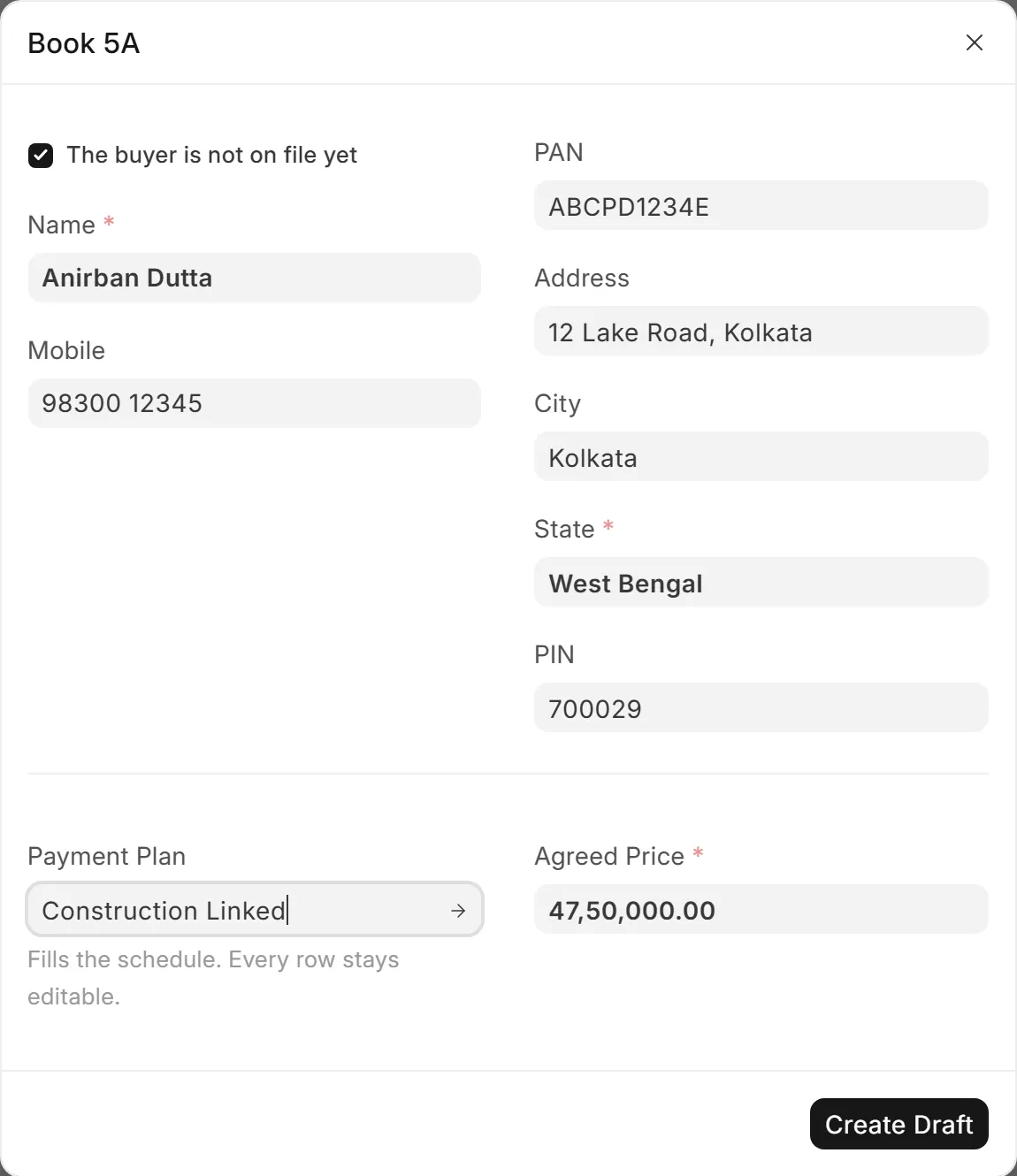
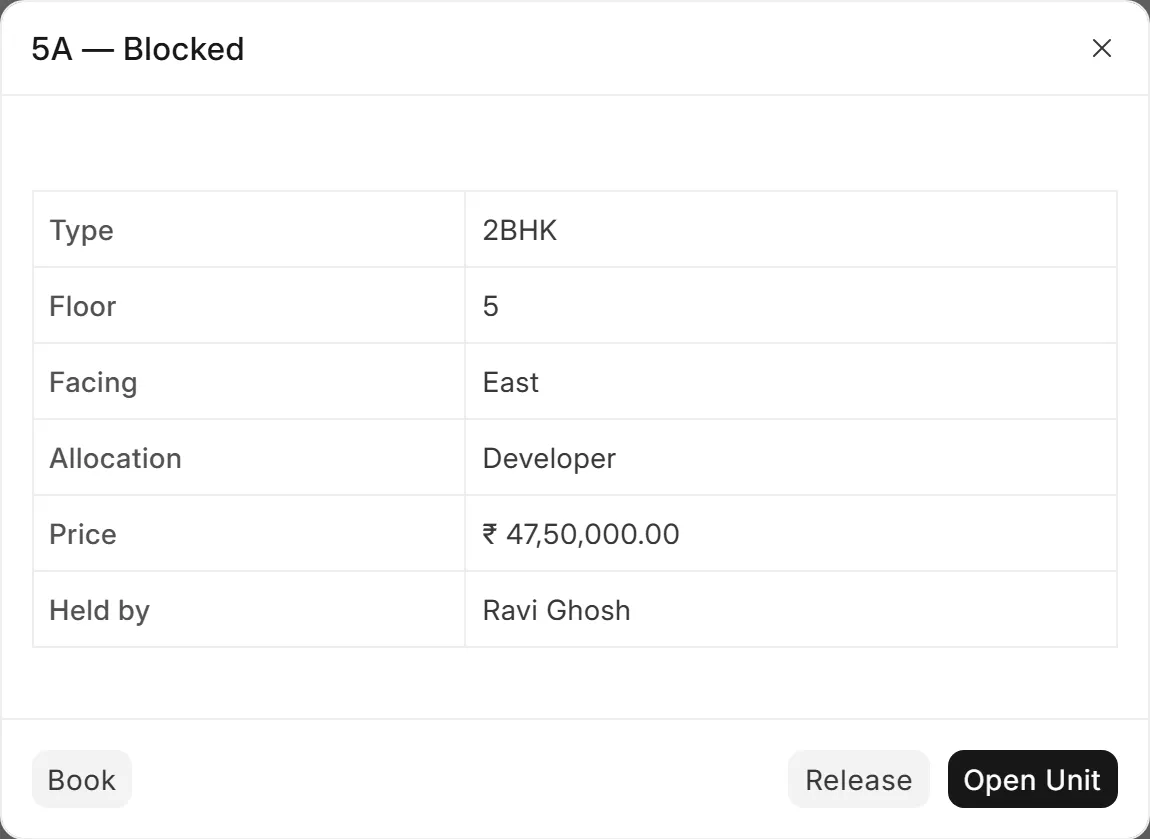
A block records who blocked the flat, so two salespeople never promise the same one. It carries an expiry, and a release is one tap.
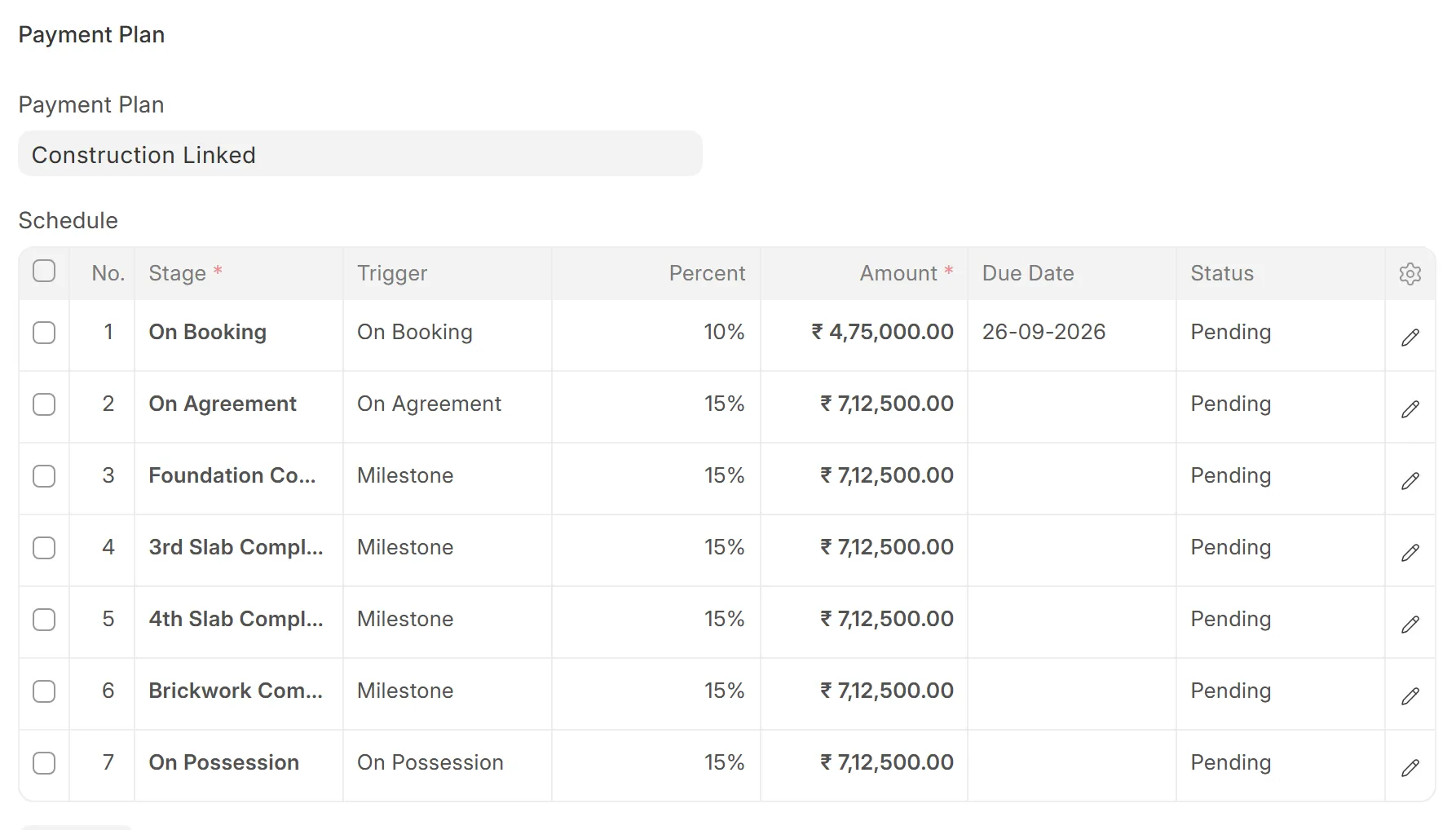
Choose a payment plan and the schedule fills in: on booking, on agreement, then stage by stage. Every row stays editable, and the rows always add up to the agreed price, to the paisa.
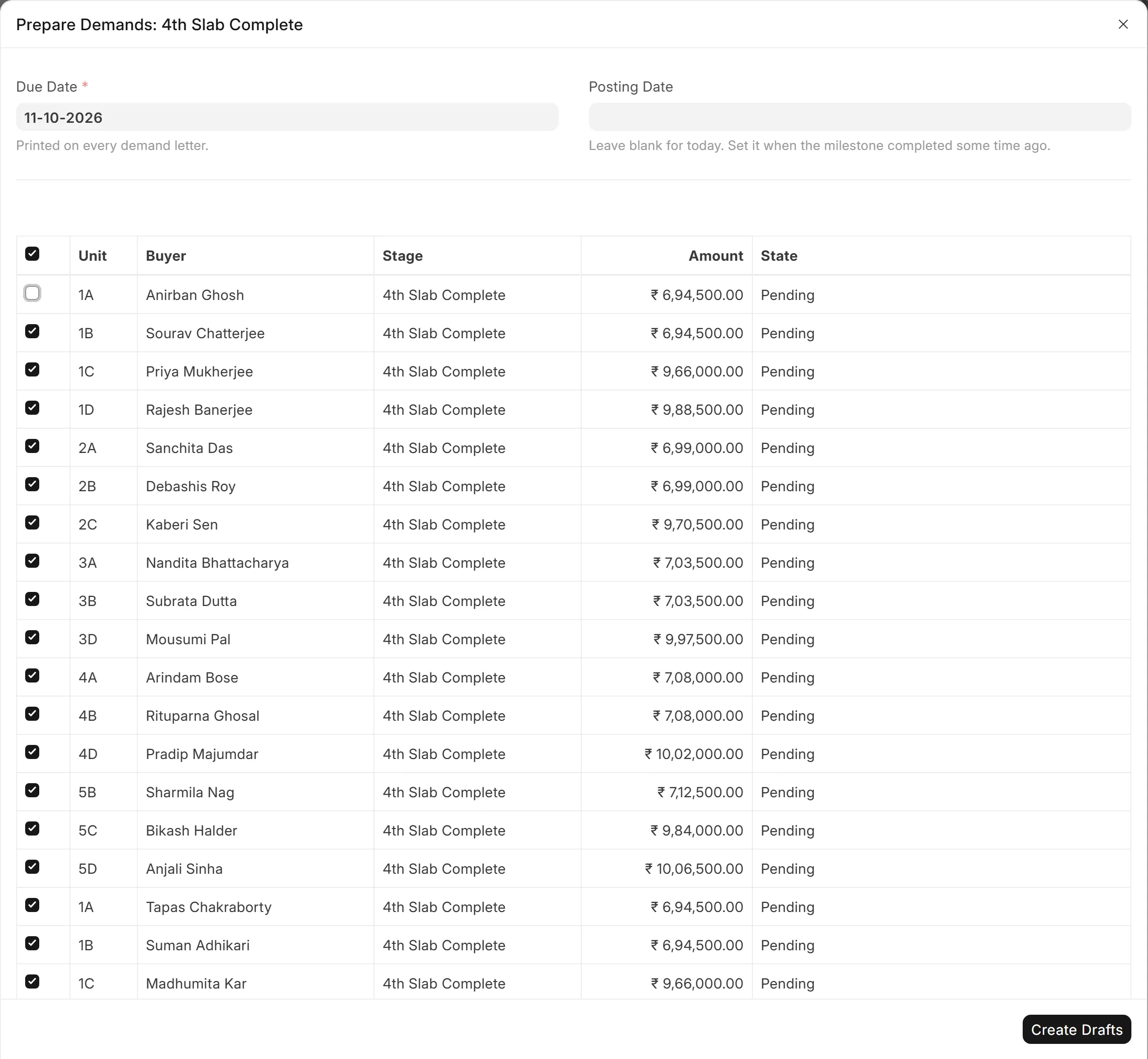
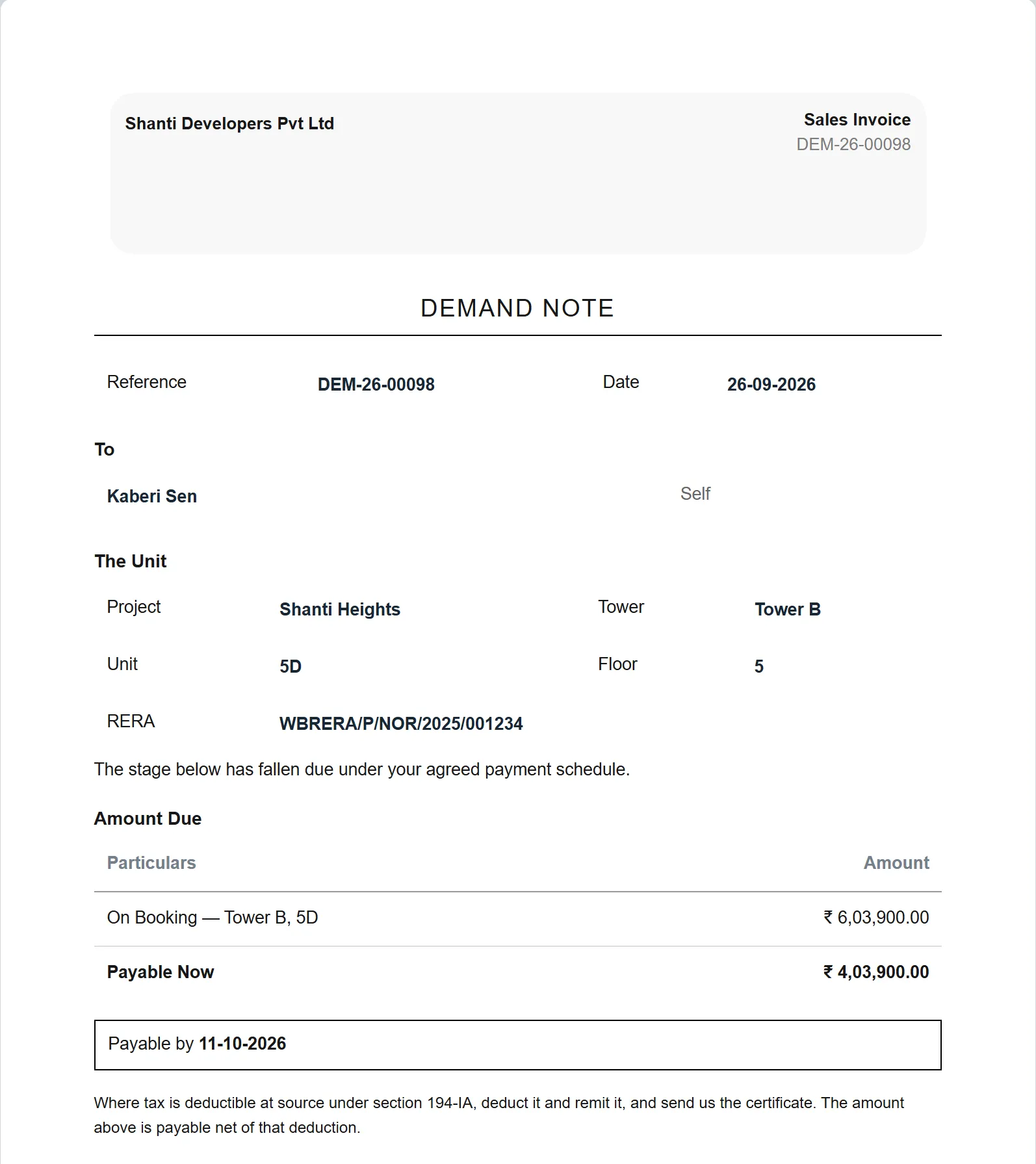
Mark the milestone complete and a review list shows each buyer whose stage is now due. Untick anyone in dispute. The rest become draft demand letters on your letterhead, for a person to check and submit.
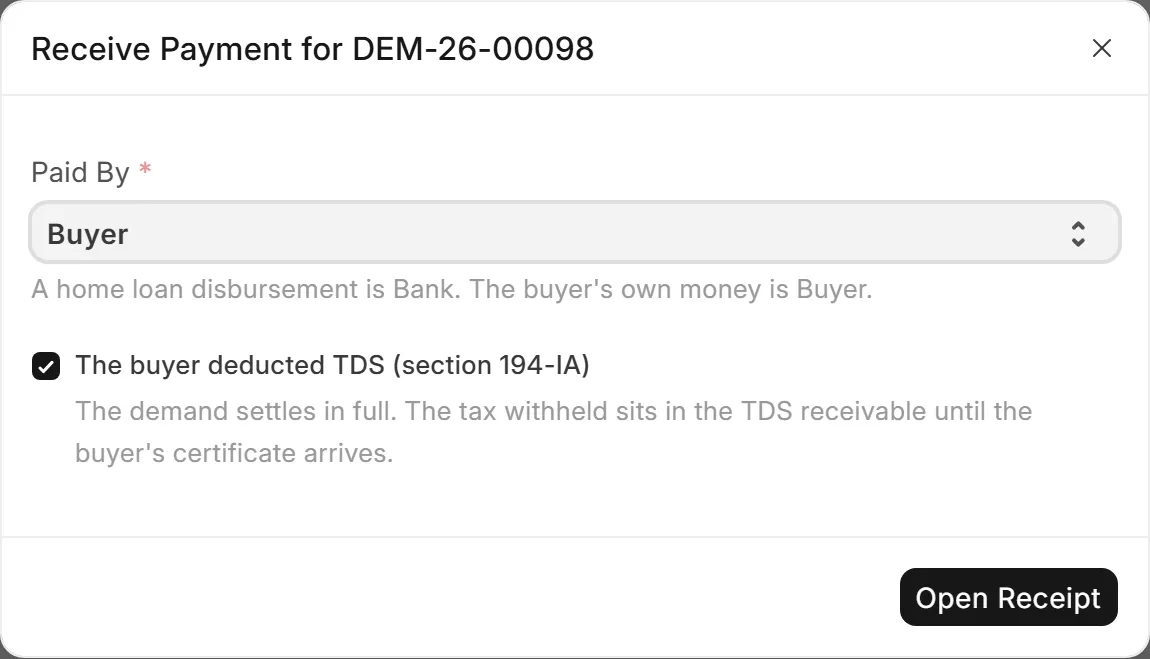
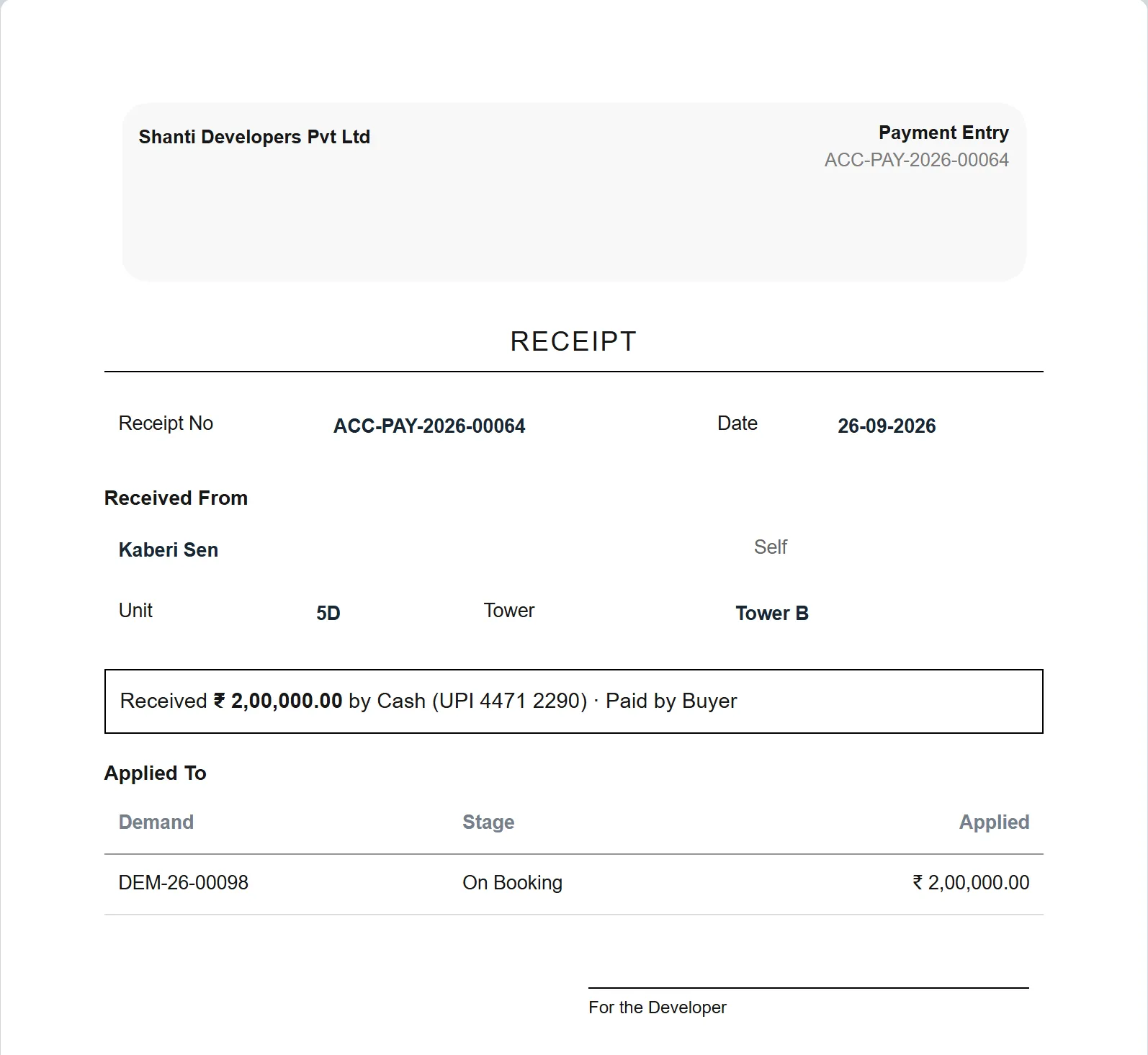
Record the home-loan disbursement and the buyer's own money as separate receipts. If the buyer deducted TDS under section 194-IA, the receipt carries it, and it waits in TDS receivable until the certificate arrives.
The flat turns Sold by itself when every row of its schedule is paid. If a receipt is reversed later, it goes back to Booked. The status follows the money, not somebody's memory.
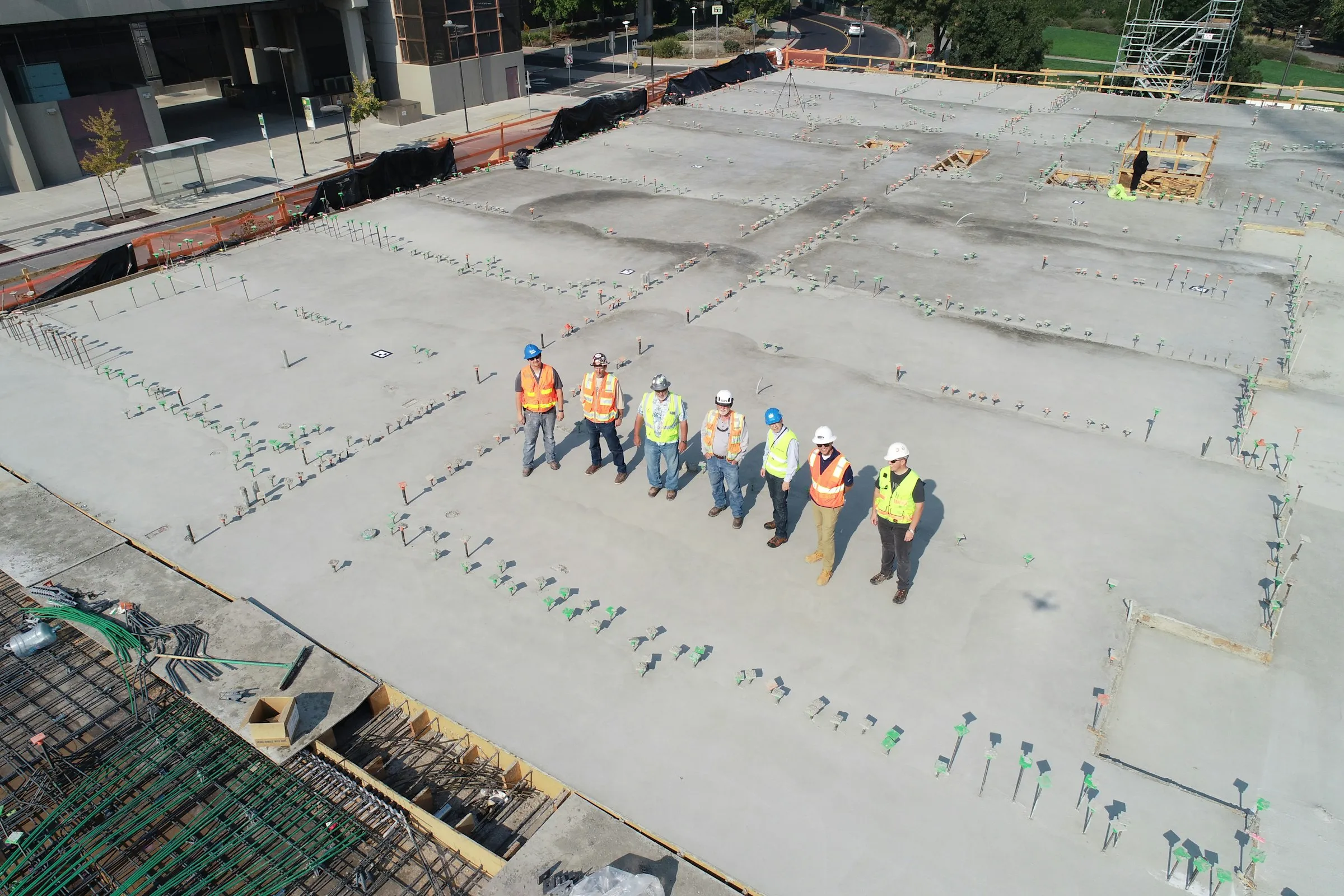
On site, the slab is poured. In the office, 16 buyers in Tower A now owe their next instalment.
Prepare Demands lists every buyer whose stage fell due, with the amount from their own schedule. Untick the buyer who disputes the work, create the drafts, and someone checks each one before it is submitted. Nothing reaches a buyer on its own.
Try it on the list: untick a buyer, then create the drafts.
Prepare Demands: 4th Slab Complete
Due date
11-10-2026
16 demands ·₹ 1,32,37,500.00
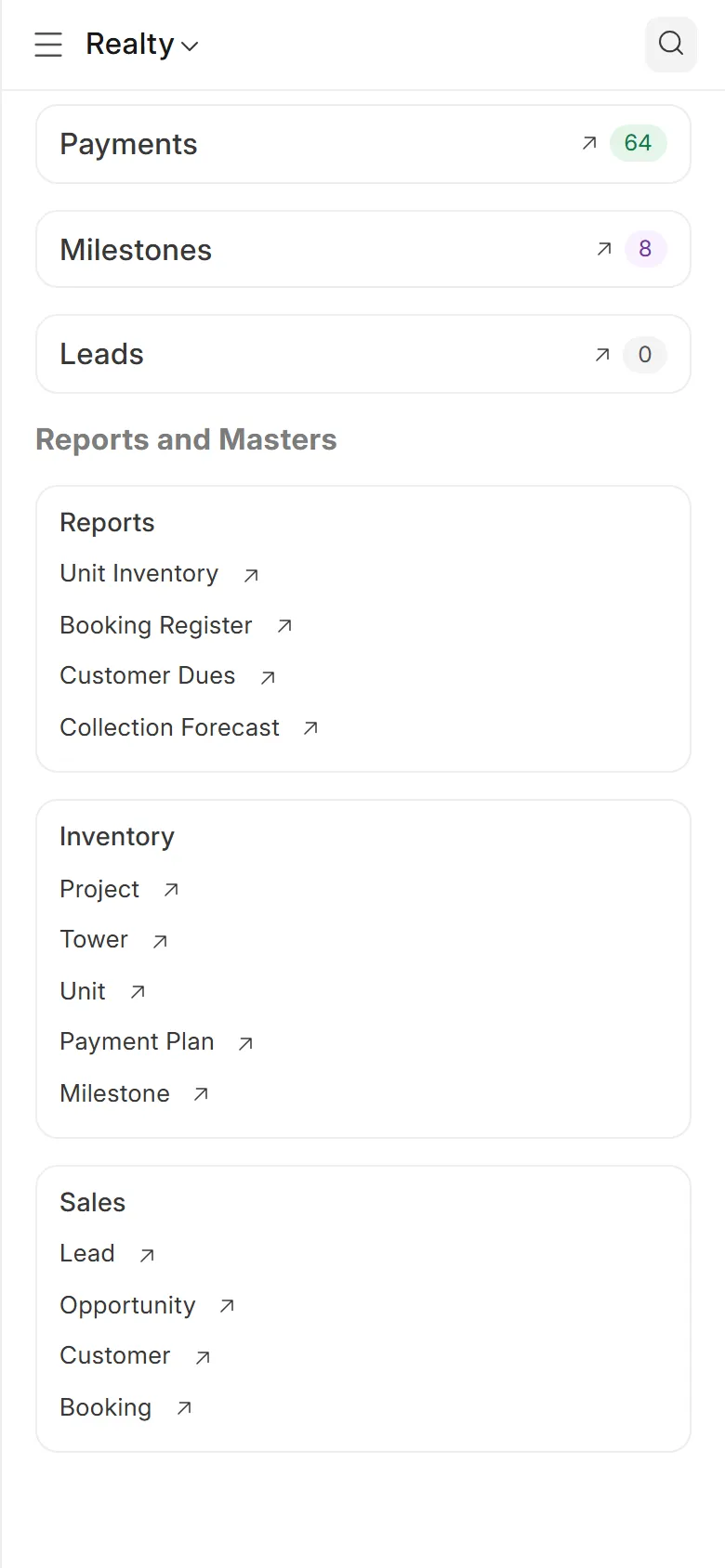
Flats available, blocked and booked, the bookings this month, and the reports on who owes what. In the phone's browser, with no app to install.

Every demand is a tax invoice in the ledger. Receipts, advances, the buyer's TDS, receivables by age, the general ledger and the trial balance are standard accounting, in the same system as the bookings.
GST and TDS treatment is set up with your CA before the first demand goes out.
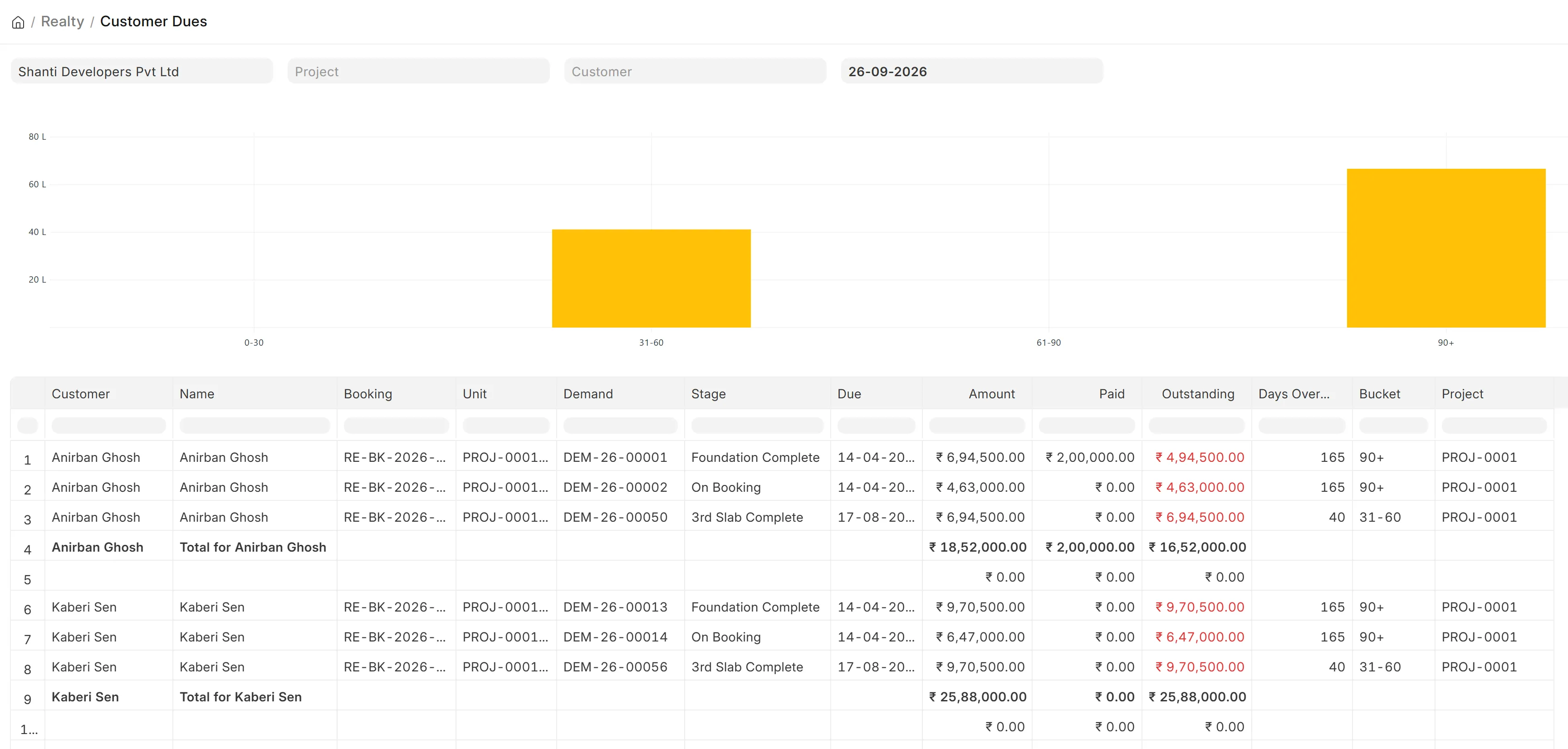
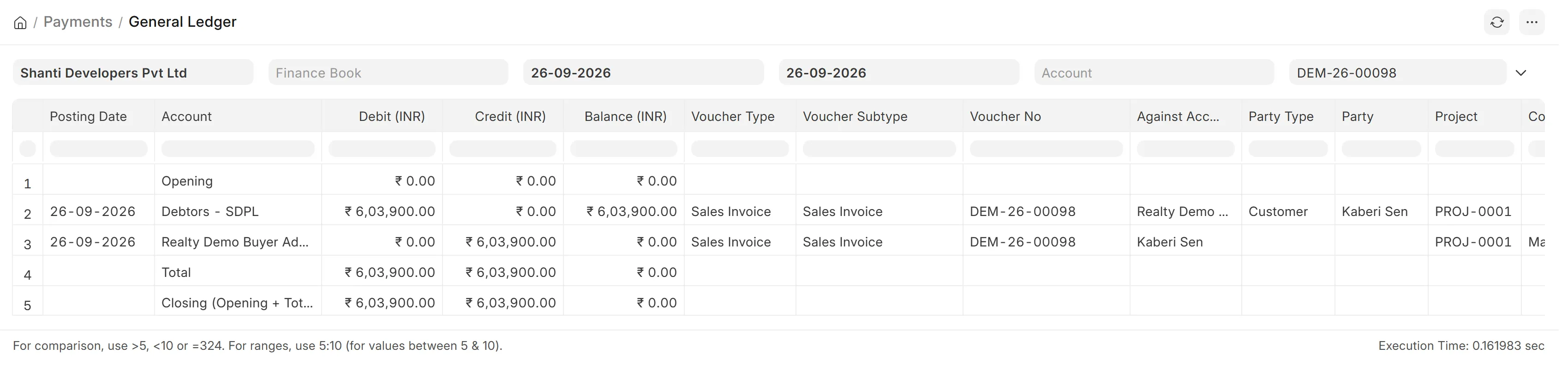
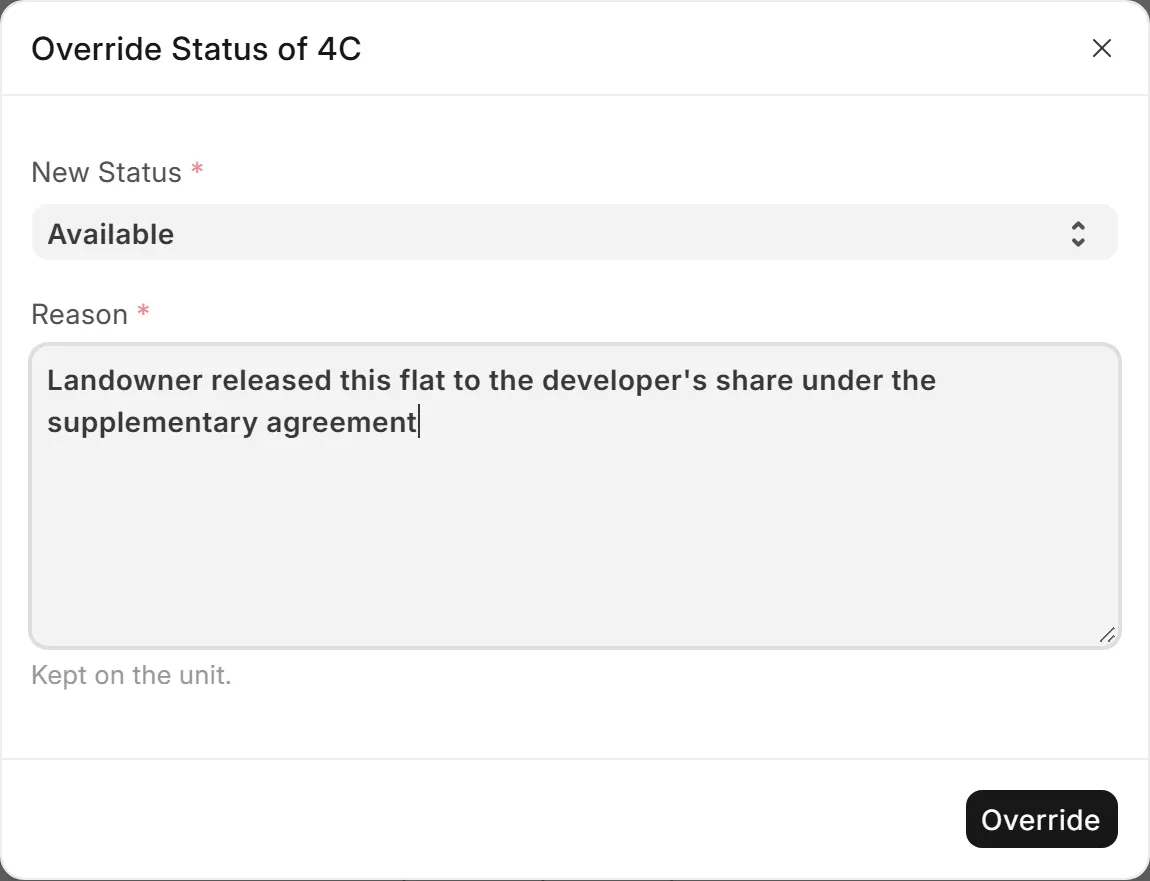
A builder's day is full of exceptions. Wingflows Realty records them instead of refusing them.
They start as Not For Sale. Only the owner can release one, and the reason is kept on the flat.
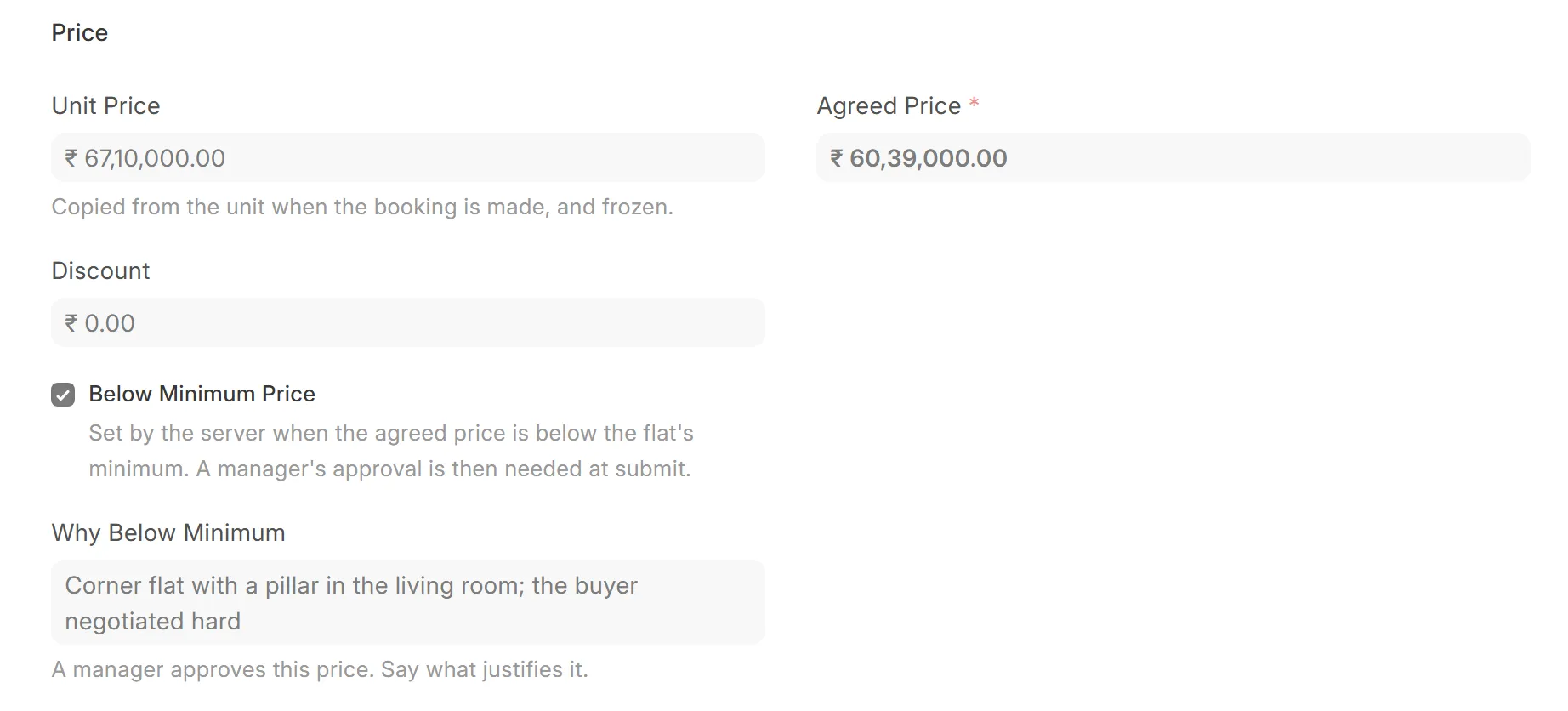
The booking waits for approval, with the salesperson's reason typed on it. The manager sees why before saying yes.
Staff and buyers see your company and your letterhead. Wingflows Realty appears only in small print.
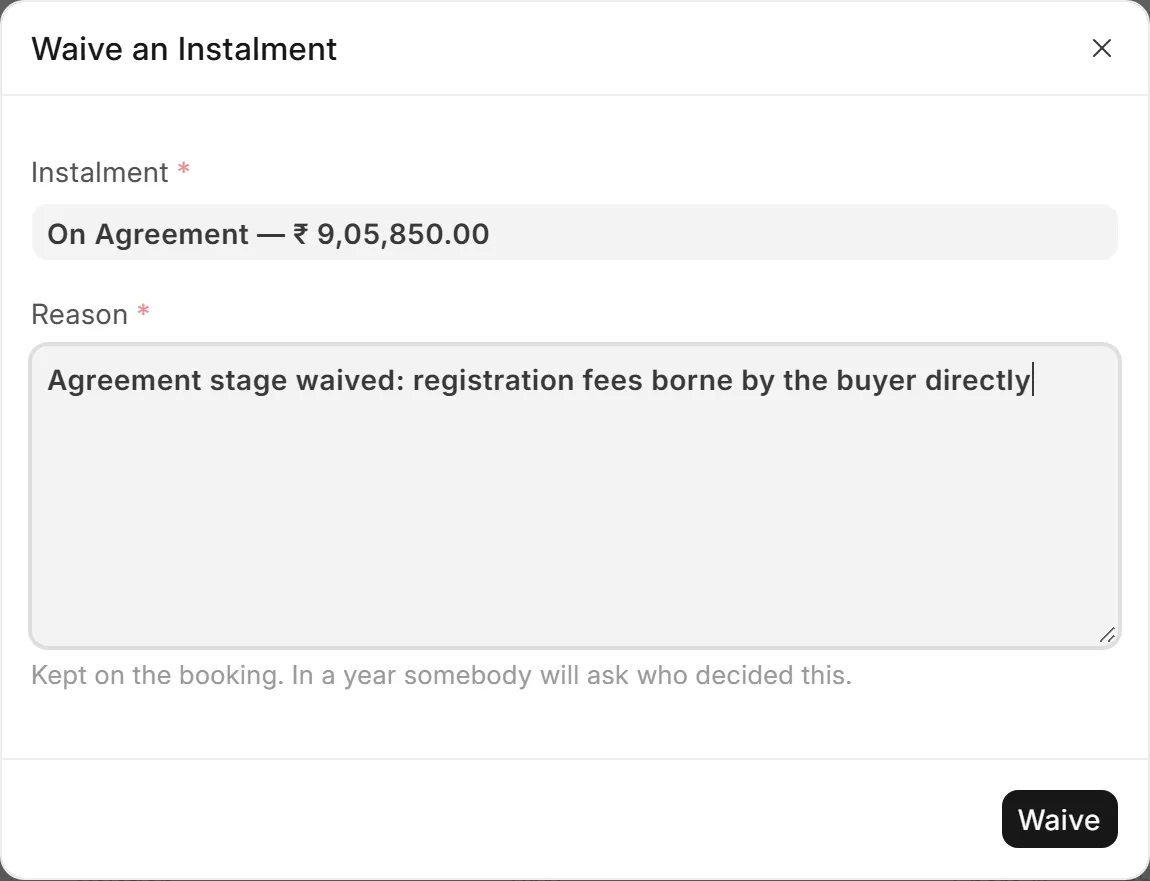
Edit a schedule row, add a charge to a booking, or waive an instalment with a manager's reason. The automatic path never locks you in.
Each builder's data lives in a database of its own, never shared with another builder.

Sales in a spreadsheet and accounts in Tally today. Wingflows Realty puts them in one system, under your own name.
Pick a time. We walk you through the software on a sample project, from the chart to the ledger, and answer your accountant's questions as we go.
Three short steps: a time, your office, your number.
One call to fix the time and hear how you work today.
The chart, a booking, a stage's demands and the books, on sample data.
[WhatsApp number]
[Phone number]
[Email address]